My AI agent workspace

I start almost all of my work with an agent in the same workspace. It holds projects, server notes, a journal of completed tasks, and instructions for operations I need to repeat.
I don’t want a new session to start with a recap of the previous one. Once we’ve found a configuration file, sorted out access, or diagnosed a failure, that result should be available in a file. The agent reads those records before working on the next task.
The records need maintenance too. Servers and projects change, so I require the agent to update the documents it used and correct any stale instructions it found. Here’s how I organize the files and handle that final step.
The work that goes through it
Most of it is infrastructure maintenance and the operational side of running a development team. The agent gathers incident details, grants access, checks stalled tasks and gaps in time logs, and drafts ticket replies. Decisions that need management context stay with me.
For a server task, it reads the server’s notes, dependencies, and change history before starting diagnostics. It proposes a plan, applies changes after I confirm them, verifies the result, and updates the records.
Some individual tasks turn into recurring checks. I once investigated why an employee had logged part of the day as idle time. Their tasks were waiting for decisions from other people. A process now finds those blocked tasks and groups them by the people responsible, so delays can be spotted earlier.
I try to start smaller jobs here too. If I use the workspace only occasionally, most of the history stays in other sessions, chats, or terminals. Work done elsewhere needs to be recorded here as well.
Inside the workspace
workspace/
├── CLAUDE.md              # rules for the agent
├── projects/              # active projects
├── infra/                 # server, service, and ownership records
│   ├── servers/
│   ├── services/
│   └── people/
├── journal/               # completed tasks, one file per month
├── playbooks/             # repeatable procedures
├── .vault/                # connection settings and secret references, outside git
├── .claude/
│   └── skills/
│       └── ops-log/       # task closing procedure
├── scripts/               # shared automation
├── data/                  # exports and generated results
├── templates/             # project and record templates
└── vault/                 # linked personal Obsidian vault
Each server has a record in infra/, called a card in the templates. It lists the server’s role, services, deployment process, dependencies, and change history. External services have their own cards. infra/people/ records who owns a system and who can make decisions about it.
The journal has one file per month, with recent entries at the top. Each entry records where the work happened, what was needed, what was done, and what was verified.
Procedures I expect to reuse go into playbooks/: investigating a full disk, checking a proxy chain, granting access, or changing DNS. They need actual commands, instructions for handling different results, and a way to check that the work succeeded.
Projects with their own implementation go into projects/. Shared scripts, exports, and document templates have separate directories. CLAUDE.md explains how the agent should use them and what to do before finishing a task.
What a completed task leaves behind
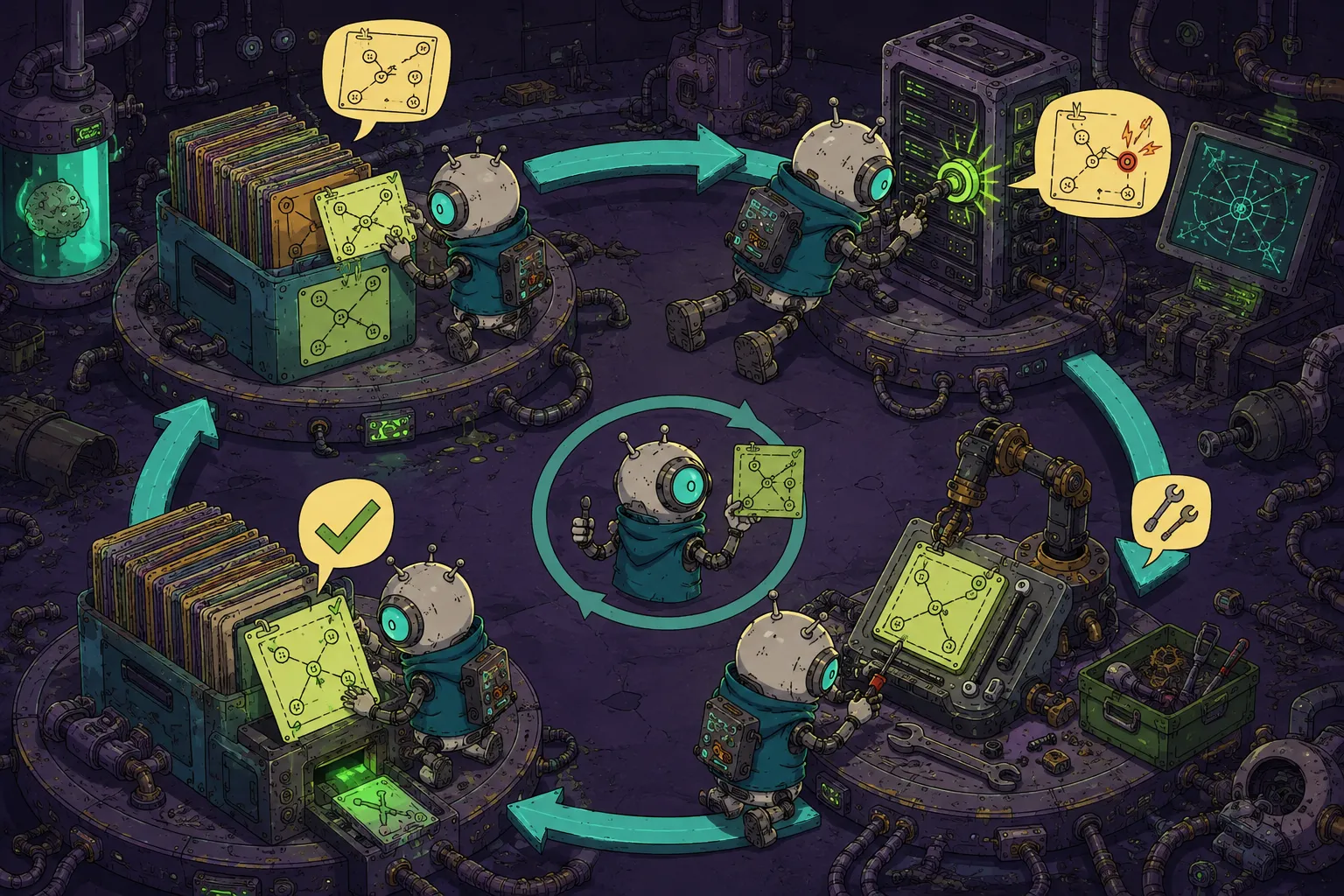
Suppose a server card points to an old configuration path. The agent finds where the file moved and continues working. If the card stays unchanged, the next session will look in the wrong place again. The correction belongs in the current task.
I use an ops-log skill to specify what to save and which documents to check. I require it after work with a verifiable result: a system change, a completed diagnosis, or a solution worth keeping. An ordinary answer or a small wording edit doesn’t need a journal entry.
The journal is always updated after qualifying work. Server, service, and ownership cards are updated when the task affects them. New connection settings go into .vault/; a recurring procedure can be proposed as a playbook. The agent also records corrections I make to its way of working, including why they matter and where they apply.
The ops-log skill
This is an abbreviated .claude/skills/ops-log/SKILL.md:
---
name: ops-log
description: Task closing protocol. Invoke automatically at the end of EVERY completed task, not only on an explicit request to log it.
---

# Task closing protocol

Record confirmed knowledge from the current session in the workspace.
Do not invent facts.

1. Journal:
   - add an entry to `journal/YYYY-MM.md`;
   - include the date, location, task, actions, and verified result.

2. Cards:
   - update affected server, service, and ownership cards;
   - correct outdated information;
   - link to the journal entry.

3. Vault:
   - record new hosts, users, and ports in `.vault/inventory.yaml`;
   - use secret-manager references for passwords, keys, and tokens;
   - keep only `vault:` references in committed documents.

4. Playbook:
   - propose documenting a repeatable procedure with its symptoms,
     diagnosis, cause, fix, and a link to the original incident.

5. Lessons:
   - check that any outdated instructions found during the task were fixed;
   - save the user's corrections with their reasons and scope;
   - after three independent occurrences, propose adding a correction
     to `CLAUDE.md` or a skill.
The description says when to use the skill. Claude Code uses this field when selecting skills, so the trigger belongs there.
I also put the requirement in CLAUDE.md:
## Closing a task

Run `ops-log` before treating a task as complete.

- Update the journal after work with a verifiable result.
- Update cards, connection settings, and playbooks where relevant.
- Fix outdated instructions during the task that exposes them.
- Record user corrections with their reasons and scope.
- After three independent occurrences, consider a correction for
  `CLAUDE.md` or a skill.
The agent can still miss these instructions. If it finishes without recording the work, ask it to run ops-log and check the resulting file changes.
A journal entry can be short:
## YYYY-MM-DD — short task title

- **Where:** links to the affected cards or project
- **What:** task or symptom → actions taken → verified result
- **Playbook:** link, or "—"
A playbook needs enough detail for someone to repeat the diagnosis and repair:
# Procedure name

## Symptom

What the person or system observes.

## Diagnosis

```bash
# Commands and checks
```

How to interpret the results and choose the next step.

## Cause

The confirmed cause of the problem.

## Fix

The steps to take and how to verify the result.

## Previous cases

- YYYY-MM-DD — outcome and link to the journal entry.
The setup prompt at the end includes the full skill and document templates.
When I create a project
A task gets a project directory when it needs its own brief, implementation, and repeated runs. I start with this:
projects/<slug>/
├── README.md   # current state and how to run it
├── brief.md    # task, goals, context, deadline
├── spec.md     # implementation decisions
└── scripts/    # project scripts
The brief records what needs doing. The spec records the chosen approach. The README should tell me what works now and how to run it.
The directory grows with the implementation. In projects/team-leads/, checks for missing time entries and blocked tasks live in processes/, shared execution code and API clients in runtime/, and scheduling in deploy/. Those checks have tests. A small task doesn’t need that entire structure.
Connection settings and secrets
Cards, journals, and playbooks go into git. Connection settings live in the ignored .vault/inventory.yaml file. A server card refers to an entry there:
vault: servers.billing_prodThe agent uses that reference to look up the host, user, and port. The setup template uses secret-manager references for passwords, keys, and tokens. The secrets themselves don’t belong in cards, journals, or git history.
Ignoring a file doesn’t encrypt it. .vault/ should hold connection settings and references, with long-lived secrets kept in a dedicated store.
Linked repositories
My corporate repository is linked through a symlink excluded from git. The agent reads it for context by default. When a task calls for edits, it moves into that repository, reads its rules, and works there. The repositories can have different conventions and permissions.
My personal Obsidian vault is linked under vault/, where the agent reads plans and notes. This is separate from .vault/, the directory for connection settings.
I record how the agent may use each source in CLAUDE.md: read-only, edits allowed, or a separate session required. Those instructions govern the agent’s behavior; filesystem permissions are configured separately.
How I chose the rules
To refine CLAUDE.md, I reviewed 842 session transcripts containing 2,278 turns and 192 user corrections. I counted a correction when I changed the agent’s proposed way of working. Ordinary task clarification didn’t count.
I promoted a correction to a general rule after it appeared independently three times. Until then, it was enough to record the correction, the reason, and the kinds of task it applied to. Three occurrences is a threshold I chose for this workspace to keep individual preferences from immediately becoming permanent rules.
There is also a weekly infra-verify run. It compares server cards against reachability, disks, services, containers, and timers. Differences go into a report the agent reads before infrastructure work.
Setting up your own workspace
The prompt below creates the workspace in an empty directory. It includes the file contents, ops-log, and checks to run before the first commit. It targets Claude Code. For another agent, adapt the rules file, skill locations, and invocation mechanism.
Copy the full prompt and give it to the agent, then review the generated files. The next step is a real task: check which records the agent leaves behind when it’s done. Creating the directories is only the setup.
Prompt for the agent
You are in an empty folder. Set up a basic working workspace in it for a human and an AI agent to work together.

Do not stop at describing it: create every listed directory and file, verify the result, initialize a git repository, and make the first commit.

Do not write real secrets into the files you create. Use placeholders and documented test IP addresses only.

Copy every block of file content verbatim. Do not shorten it, do not paraphrase it, do not join lines, and do not change the formatting. After creating a file, read it back and compare it line by line with the corresponding block in these instructions. If you find a discrepancy, fix the file before verification and commit.

## 1. Create the structure

```text
.
├── CLAUDE.md
├── .gitignore
├── .claude/
│   └── skills/
│       └── ops-log/
│           └── SKILL.md
├── .vault/
│   ├── .gitkeep
│   └── inventory.yaml
├── projects/
├── infra/
│   ├── README.md
│   ├── servers/
│   ├── services/
│   └── people/
├── journal/
│   ├── README.md
│   └── YYYY-MM.md
├── playbooks/
│   └── README.md
├── scripts/
├── data/
│   └── .gitkeep
└── templates/
    ├── project-readme.md
    ├── project-brief.md
    ├── project-spec.md
    └── server-card.md
```

Instead of `YYYY-MM.md`, use the current year and month from the system date.

Keep the empty directories `projects/`, `scripts/`, `infra/servers/`, `infra/services/`, `infra/people/`, `.vault/`, and `data/` in git using `.gitkeep` files. The contents of `.vault/` and `data/`, apart from those two `.gitkeep` files, must stay local.

## 2. Create .gitignore

Write this into `.gitignore`:

```gitignore
# Secrets and local credentials
.vault/*
!.vault/.gitkeep

# Exports, reports, and generated data
data/*
!data/.gitkeep

# Local environment
.env
.env.*
!.env.example

# System files
.DS_Store
```

Verify that `.vault/inventory.yaml` is actually ignored by git. The file must exist locally but must not land in the first commit.

## 3. Create CLAUDE.md

Write the following content:

```markdown
# Working workspace

## Purpose

This is the single entry point for a human and an AI agent working together.
Try to solve every task through this workspace first, even one that looks
like a one-off.

The workspace holds active projects, an infrastructure map, a task history,
repeatable scenarios, and verified rules. Use the existing knowledge, check it
against reality, and fix it whenever you find a discrepancy.

## Structure

- `projects/` — active work; one project lives in `projects/<slug>/`.
- `infra/servers/` — server cards: role, services, operations, and history.
- `infra/services/` — cards for external services and platforms.
- `infra/people/` — ownership map and working contacts.
- `journal/` — history of completed tasks, one file per month.
- `playbooks/` — repeatable diagnostic and routine procedures.
- `.vault/` — local access parameters; contents stay out of git,
  except `.gitkeep`.
- `scripts/` — reusable automation.
- `data/` — exports and generated results; contents stay out of git,
  except `.gitkeep`.
- `templates/` — project and card templates.

## Conventions

- Create every project in `projects/<slug>/`.
- Put general-purpose scripts in `scripts/`.
- Put exports and temporary reports in `data/`.
- Do not invent facts, credentials, command output, or system state.
- Before changing an existing object, read its documentation and history.
- After a change, verify the result in a way independent of the write command.

## Secrets

Keep hosts, real IP addresses, users, and other local connection parameters
only in `.vault/inventory.yaml`. Keep passwords, private keys, tokens, and API
keys in a password manager, the system keychain, or a secret manager. Store
only a reference to the secret in `.vault/inventory.yaml`.

In committed files, leave a stable reference:

`vault: servers.<name>`

or:

`vault: services.<name>`

The card describes what is in the system and how to work with it. The vault
describes how to get access.

Never add the contents of `.vault/` to git, except the empty
`.vault/.gitkeep`. Check staged files for secrets before committing.

## Task closing protocol

A task is not complete until the `ops-log` skill has run.
Invoke it automatically at the end of every completed task, not only after
the words "log this" or "write it to the journal".

- the journal is updated after any task with a verifiable result;
- `infra/` cards, the vault, and playbooks are updated if they were touched;
- if a card or playbook lied, fix it the moment you discover it;
- save the user's correction together with an explanation of why it is needed
  and when it applies;
- if the same correction comes up independently for the third time, propose
  promoting it into this rule or into a separate skill;
- do not commit changes without an explicit request from the user, except the
  initial commit while setting up this workspace.

A purely conversational answer, where nothing was diagnosed, created, or
changed, needs no journal entry.

Do not journal the initial setup of an empty workspace: that is installing the
working environment, not a completed work task.
```

## 4. Create .claude/skills/ops-log/SKILL.md

Write:

```markdown
---
name: ops-log
description: Task closing protocol — record the result in journal/, infra/, playbooks/, and .vault, plus the "lessons" step. Invoke automatically at the end of EVERY completed task, not only on an explicit "log this", "write it to the journal", "add it to the knowledge base", or "turn it into a playbook".
---

# ops-log — task closing protocol

Move the confirmed knowledge from the current session into the workspace:
what was done, where, and how the task ended.

Do not invent anything. If a fact, command, or result did not appear in the
session, do not add it to the documents.

This is the mandatory finish of every completed task. A purely conversational
session, where nothing changed and nothing was diagnosed, needs no record.

## 1. Journal

Add an entry to `journal/YYYY-MM.md` in the format from `journal/README.md`.

- If this month's file does not exist, create it.
- Put the new entry on top, right after the month heading.
- Give the date and a short title.
- In "Where", link the cards or the project that were touched.
- In "What", fit the symptom or task, the actions taken, and the verified
  result into 2–5 lines.
- In "Playbook", give a link or put `—`.

The journal is updated after a task with a verifiable result: system state
changed, a diagnosis was completed, or knowledge appeared that the next session
will need. An answer to a question or a small wording fix needs no entry.

## 2. Cards

For every server, external service, or person that was touched:

- if the card exists, add an entry to its "History" section and fix outdated
  facts in the other sections;
- if there is no card, create one in `infra/servers/`, `infra/services/`,
  or `infra/people/`;
- add the new card to the matching table in `infra/README.md`;
- link the history entry to the fresh journal entry.

A minimal server card must contain the role, the `vault:` reference, the set of
services, how it is operated, the checks, and the history.

## 3. Vault

If new access parameters appeared — host, real IP, user, port, or control
panel — add them to `.vault/inventory.yaml`. For a password, key, or token,
store only a reference to the secret manager.

In committed files, use only a reference of the form:

`vault: servers.<name>`

or:

`vault: services.<name>`

Never print secrets into the journal, cards, playbooks, completion messages,
or git history.

## 4. Playbook

If the case can recur — a diagnosis, a routine operation, or an error that has
already happened — propose creating or updating a playbook.

Once the user agrees, create the file in a suitable subdirectory of
`playbooks/` with this structure:

1. symptom;
2. diagnosis with concrete commands;
3. how to read the results, and the branches;
4. confirmed cause;
5. fix;
6. verification of the result;
7. precedent with a date and a link to the journal.

Add a link to the playbook in `playbooks/README.md`, in the journal, and in
the object's card.

For a genuinely one-off case, the journal is enough.

## 5. Lessons

Check both self-improvement loops.

### The knowledge lied

If a card or playbook turned out to be wrong — an outdated command, a changed
port, a moved path, a service that no longer exists — the document must be
fixed the moment you discover it.

Before finishing, make sure the fix has been applied. Do not leave a known
error for the next session.

### The user's correction

If the user corrected the way you work:

- record the correction itself;
- write down why it is needed;
- state the situations where it applies;
- pick the right destination: a card, a playbook, a project README, or a local
  rule.

If the same correction comes up independently for the third time, propose
promoting it into `CLAUDE.md` or a separate skill. Do not turn a one-time
preference into a global rule.

## 6. Report

Show the user the list of changed files and explain each edit in one line.

Do not commit without an explicit request from the user. The only exception is
the first commit explicitly required by the workspace setup instructions.
```

## 5. Create journal/README.md

Write:

```markdown
# Task journal

The journal is a short history of completed work: what was done, where, and
how the task ended.

Each month uses a `YYYY-MM.md` file. New entries are added on top by the
`ops-log` skill.

## Entry format

## YYYY-MM-DD — short task title

- **Where:** links to the cards, projects, or services that were touched
- **What:** 2–5 lines: symptom or task → actions → verified result
- **Playbook:** link to a repeatable scenario, or "—"

Do not put passwords, tokens, private keys, real private addresses, or other
secrets into the journal. For credentials, use `vault:` references only.
```

Create the current month's file `journal/YYYY-MM.md`:

```markdown
# Journal — YYYY-MM
```

Substitute the actual current year and month. Do not add invented tasks.

## 6. Create playbooks/README.md

Write:

```markdown
# Playbooks

Playbooks are repeatable diagnostic and routine procedures.

Create a playbook if the case can recur, or if the error has happened before.
Record one-off work in the journal only.

## Playbook structure

# Scenario name

## Symptom

What the human or the system observes. State the verifiable signs.

## Before you start

Which permissions are needed, which `vault:` references, and the safety
conditions.

## Diagnosis

Concrete commands in execution order. For each check, explain:

- which result counts as normal;
- what a deviation means;
- which step to go to next.

## Cause

The confirmed cause. Do not list unconfirmed guesses as fact.

## Fix

Step-by-step change with commands, the limits of authority, and how to roll
back.

## Verification

How to confirm independently that the problem is gone and there are no side
effects.

## Precedents

- YYYY-MM-DD — short outcome and a link to the journal entry.

## Index

### Diagnosis

Empty for now.

### Routine work

Empty for now.
```

## 7. Create infra/README.md

Write:

```markdown
# Infrastructure

`infra/` is the map of servers, external services, and ownership: where the
agent goes, what is there, how to work with it, and what happened before.

Secrets live only in `.vault/inventory.yaml`. Cards reference them with the
key `vault: <section>.<name>`.

## Layers

- `infra/servers/` — machines and environments: role, services, deployment,
  dependencies, checks, and history.
- `infra/services/` — clouds, DNS, control panels, SaaS, and other external
  services.
- `infra/people/` — areas of ownership and working points of contact.
- `journal/` — task history.
- `playbooks/` — repeatable scenarios.

## Servers

| Card | Purpose | Vault |
|---|---|---|

## External services

| Card | Purpose | Vault |
|---|---|---|

## People and ownership

| Card | Area of ownership | Contact |
|---|---|---|
```

## 8. Create the server card template

Write this into `templates/server-card.md`:

```markdown
# {{Server name}}

- **Role:** {{what the machine is for}}
- **Environment:** {{production, staging, development, or other}}
- **Access:** `vault: servers.{{key}}`
- **Owner:** {{link to a card in infra/people, or "not assigned"}}

## What runs here

| Component | Purpose | How it runs |
|---|---|---|
| {{service}} | {{role}} | {{systemd, Docker, Kubernetes, manual}} |

## Operations

- **Deployment:** {{verified sequence or a link to a playbook}}
- **Logs:** {{paths or commands, without secrets}}
- **Configuration:** {{paths or configuration source}}
- **Dependencies:** {{other servers and external services}}

## Checks

Safe status-check commands. Describe the expected result of each one.

## Quirks and limits

- {{what is easy to get wrong}}
- {{what needs separate approval}}
- {{which actions are dangerous or irreversible}}

## Related playbooks

- None yet.

## History

- YYYY-MM-DD — card created.
```

When creating a real card, do not leave an invented history line: put the
actual date and the reason the card appeared.

## 9. Create .vault/inventory.yaml

The file must exist locally but stay excluded from git.

Write only a stub with comments and test values into it:

```yaml
# This file holds local connection parameters and references to secrets.
# It is excluded from git. Do not copy its values into committed documents.
# Keep passwords, private keys, and tokens in a secret manager, not here.
#
# In cards, use references:
#   vault: servers.billing_prod
#   vault: services.cloud_provider

servers:
  billing_prod:
    host: 203.0.113.10
    user: deploy
    credentials_ref: "password-manager://infrastructure/billing-prod"
    panel: https://panel.example.com
    notes: "example: access through a bastion, non-standard port"

  ci_runner:
    host: 203.0.113.20
    auth: ssh-key
    credentials_ref: "system-keychain://ssh/ci-runner"

services:
  cloud_provider:
    account: team@example.com
    credentials_ref: "secret-manager://cloud/provider-api"

sheets:
  planning_2026: https://docs.google.com/spreadsheets/d/EXAMPLE

own_ips:
  vpn_exit: 198.51.100.5  # example: your own IP, for cross-checks during audits
```

Do not replace the test values with real connection parameters during the
initial setup.

## 10. Create the project templates

Write this into `templates/project-readme.md`:

```markdown
# {{Project name}}

{{One or two sentences: what this project is and why it exists}}

- `brief.md` — the original task, goals, and context.
- `spec.md` — the implementation spec.
- `scripts/` — the project's working scripts.
- export results go to `data/` in the workspace root.

## Contents

{{As they appear, list the additional directories and what they are for}}

## Running it

{{Requirements and verified commands}}

## Verification

{{How to make sure the result is correct}}

## Secrets

Credentials live in `.vault/inventory.yaml`. Only references of the form
`vault: services.<name>` are used here.
```

Write this into `templates/project-brief.md`:

```markdown
# {{Project name}}

## Task

{{What needs to be done and why}}

## Goals

- [ ] {{Measurable goal 1}}
- [ ] {{Measurable goal 2}}

## Context

- **Deadline:** {{date or "not set"}}
- **Stakeholders:** {{who cares about this}}
- **Constraints:** {{what matters}}
- **Dependencies:** {{systems, people, and decisions}}

## Result

{{What verifiable success looks like}}

## Out of scope

- {{An explicit boundary of the project}}
```

Write this into `templates/project-spec.md`:

```markdown
# Spec: {{Project name}}

## Overview

{{What exactly is being built}}

## Requirements

- {{Requirement 1}}
- {{Requirement 2}}

## Input

{{Sources, formats, and constraints}}

## Implementation

{{Architecture, algorithms, data structures, and key decisions}}

## Output

{{Result format and where it is saved}}

## Errors and edge cases

- {{Scenario and expected behaviour}}

## Verification

- [ ] {{Result check}}
- [ ] {{Check for absence of side effects}}

## Rollback

{{How to undo the change safely, where applicable}}
```

## 11. Verify the structure and safety

Before committing:

1. Print the tree of created files.
2. Verify that the current month's journal file exists.
3. Verify that `.vault/inventory.yaml` exists.
4. Create a temporary `data/ignore-probe` file, verify with `git check-ignore -v` that both it and `.vault/inventory.yaml` are ignored, then delete the probe.
5. Make sure `.vault/inventory.yaml` is not among the staged files.
6. Verify that no Markdown file is empty.
7. Review `git diff --cached --name-only` and `git diff --cached`. Look for passwords, tokens, private keys, real private addresses, and environment files. If gitleaks is installed, additionally scan the staged changes with findings redacted. Do not print possible secrets in your final answer.
8. Do not add local system files to the repository.
9. Make sure the created files match the blocks in these instructions and were not shortened or paraphrased.

If you find a problem, fix it before the commit.

## 12. Initialize git and make the first commit

Run:

```bash
git init
git add .
git status --short
git diff --cached --check
git config --get user.name
git config --get user.email >/dev/null
git commit -m "Initialize AI workspace"
```

If the commit is impossible only because `user.name` or `user.email` is missing, do not invent a human identity and do not change the global configuration. Ask the user for the values, set them locally for this repository, and then finish the first commit.

If the name and email are already configured, show the author name before committing and confirm that the email is set, without printing the address itself. Do not change an existing identity without being asked.

After the commit, check again:

```bash
git status --short
git ls-files
```

The working tree must be clean. `.vault/inventory.yaml` and the local contents of `data/` must not appear in `git ls-files`. The `.vault/.gitkeep` and `data/.gitkeep` files, on the contrary, must be there: they are what restores both directories after `git clone`.

## 13. Show the human a checklist

After a successful setup, print a short summary: which directories were created, which journal file is open for the current month, and the hash of the first commit.

Then show this checklist:

### Your first week with the workspace

1. Solve every work task through it, even one that looks like a one-off.
2. At the end of a task, check that the agent ran `ops-log`. If it forgot, tell it to run the closing protocol.
3. If a card or playbook lied, fix the document right away, in the same task.
4. Put local connection parameters in `.vault/inventory.yaml`, and passwords, keys, and tokens in a secret manager. Leave only `vault:` references in every other file.
5. Do not create playbooks for the sake of count. Create one when the scenario really can be repeated.
6. At the end of the week, read through the journal: pick the first recurring task to turn into an automation or a new playbook.